GOOGLE DRIVE, ON A TIMER

Temporary docs.
Clutter-free Drive.

Create disposable Google Drive documents for the things you only need briefly. Choose a lifetime and let Doc Egg Timer handle the tidy-up.

1 day1 week30 days
See how it works
Chrome Web Store release in preparation.
The Doc Egg Timer egg-shaped clock surrounded by temporary document cards.
Create it. Use it. Let it go.

Documents

Quick notes and one-off drafts.

Sheets & CSVs

A CSV and its linked Sheet share a timer.

Slides

Ideas that only need a little time.

Drawings

Sketch it out, then clear it away.

A LITTLE LESS TO KEEP

From a fresh doc
to a clearer Drive.

Three simple steps. One less thing to remember.

01 / CREATE

Create a doc.
Set its lifetime.

Name your file, choose a timer, and select “Create temporary file”. Start with a day, a week, or 30 days. There’s a one-hour option, too.

Already have a file? Choose or upload it, then confirm its timer in the extension.
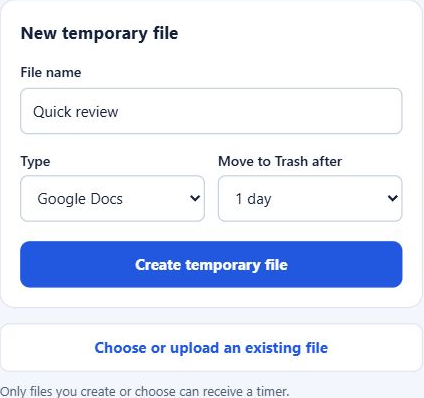
Example extension form: Quick review, Google Docs, Move to Trash after 1 day, and Create temporary file.
Example file · create and choose a lifetime
02 / USE

A quick look.
A temporary doc.

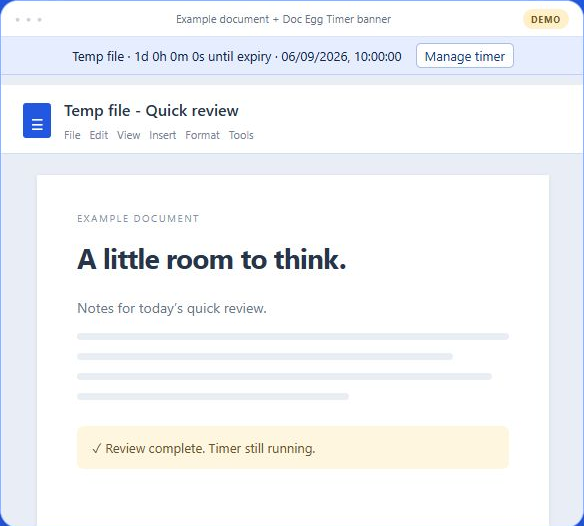
Review a document, jot down a thought, or work on a short-lived draft. The countdown shows how much time is left.

Quick reviewsTemporary notesOne-off drafts
Illustrated Quick review document with the Doc Egg Timer countdown and Manage timer button at the top.
Illustrated document · example countdown
03 / TIDY UP

Time’s up.
Clutter cleared.

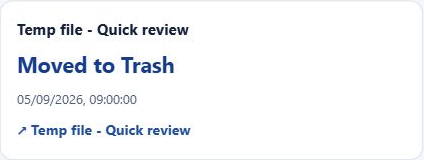
When its timer is due, the extension moves your file to Google Drive Trash. Cleanup runs while Chrome is running and online.

If Chrome is closed, your computer is asleep, or you’re offline, cleanup waits until Chrome runs online again.

Read how cleanup works
Example timer for Quick review showing the completed status: Moved to Trash.
Files in Trash can be restored.
Example file · completed cleanup

You choose the files.

Limited Google Drive access. Only files you create or explicitly choose can receive a timer.

Timers stay in Chrome.

Timer records stay in your Chrome profile. Keep Chrome running and online for automatic cleanup.

Plans change. Keep it.

Cancel a pending timer to keep the document in Drive. Files already moved to Trash can be restored there.